Never Pay for the Same Dataverse Mistake Twice
GitHub Copilot showed me something new: GPT-5.6 Sol, plus a 30% discount. Yes, and I couldn’t resist trying it on a Dataverse task. Why not see the new model in action, right?
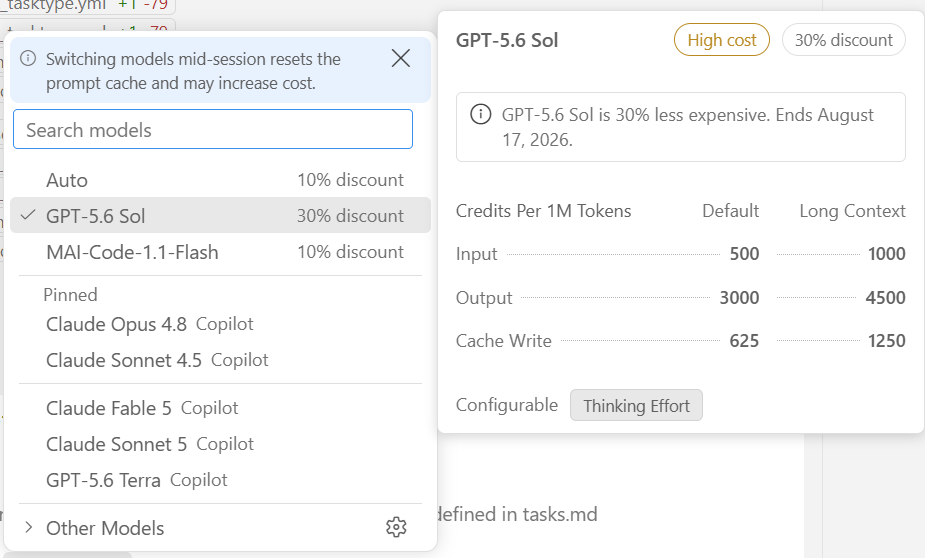
As a result, that decision burned nearly a month’s budget before the task was even done. But here’s the thing: the expensive part isn’t the story worth telling.
What came out of it was a GitHub Copilot custom skill – a reusable file that captures everything the agent learned the hard way about Dataverse solutions, so no future session pays that price again.
If you build with AI coding agents on Power Platform, or anywhere agents keep relearning the same lessons, this one’s for you. Watch for the moment your agent struggles. That’s your cue to turn the pain into a skill.
The Trigger
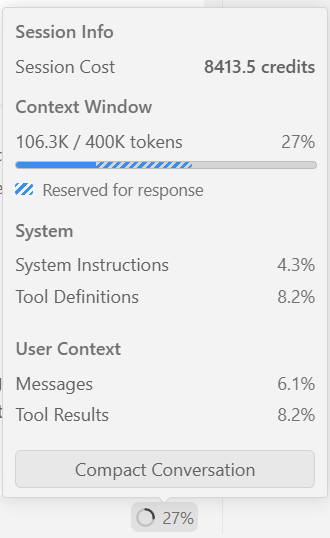
I usually write specs and plans with Claude Sonnet 5.0. This time, I let GPT-5.6 Sol take the wheel on the task table design from One Task Table to Rule Them All. Spec and plan burned through credits fast, with long reasoning chains at every step.
Here’s how my monthly credit budget melted away:
Still, a solid spec is worth the price. Implementation is where things really spiraled. The model didn’t just execute – it had to figure out how to implement the Dataverse solution from scratch. Back and forth, wrong turns, then a full restart once it found a better strategy.
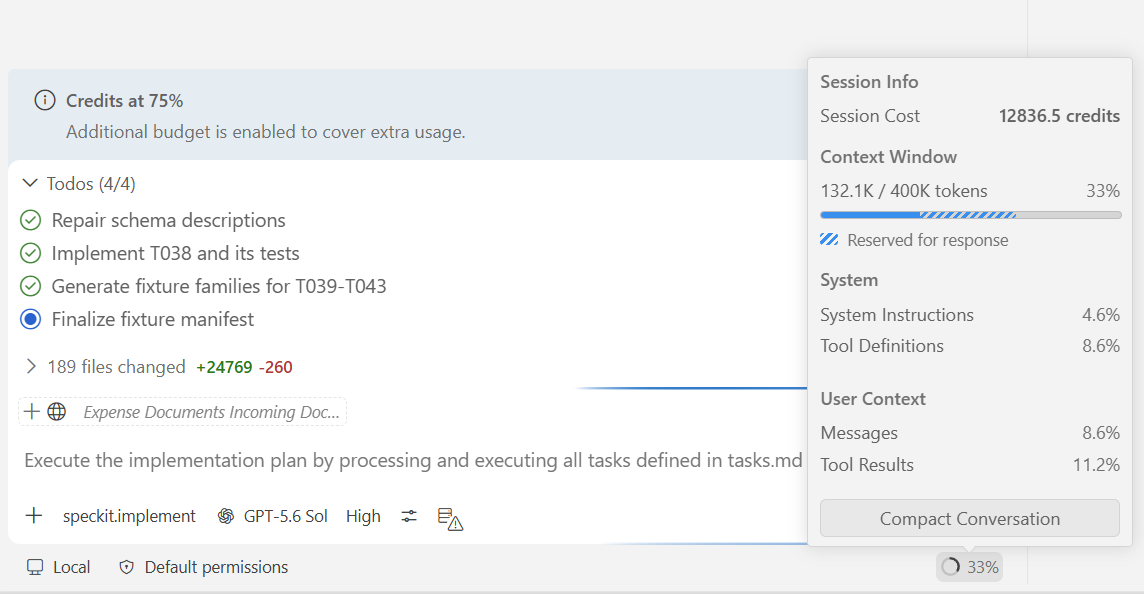
By the time it landed on something that worked, the session had eaten nearly the entire monthly budget:
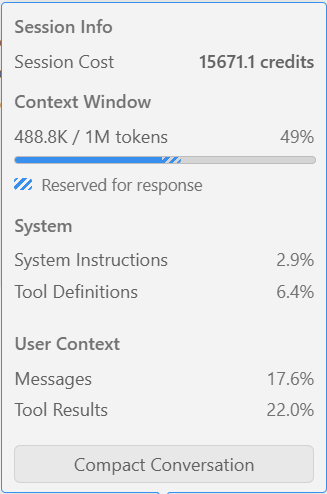
So how do you stop the same lesson from costing you twice? Not by being more careful next time. By turning the pain into something permanent – something the next session can simply reuse.
Why Turn Pain Into a Skill
Here’s the uncomfortable part: once a session ends, mostly everything the model learned ends with it. All that reasoning about Dataverse solutions, the failed approach, the restart that finally worked – gone. The next session starts from near zero and pays most of the same price again.
Yes, GitHub Copilot Memory can carry a few facts and preferences forward. But it only works in Copilot cloud agent, code review, and CLI, and it stores short, high-level notes that auto-expire after 28 days unused. It wasn’t built to preserve a hard-won implementation strategy – and Dataverse is exactly where that gap shows up hardest.
Dataverse solutions are layered, managed and unmanaged, with rules that block naive edits. Web API calls have to respect the Organization Service underneath, not just look right on the surface. None of that is obvious from the outside, so the model rediscovers it the hard way, every single time – unless something stops it.
So here’s the reframe: an expensive session isn’t wasted if it leaves something behind. Treat it as an investment, not a loss.
And here’s the rule of thumb I now follow: when your agent visibly struggles, backtracks, or burns unusual cost on one class of problem, that’s not just a bad day. That’s your cue to turn the pain into a GitHub Copilot custom skill.
Creating the Copilot Skill
Turning that pain into a skill didn’t take a big production. I ran /create-skill and described what I wanted: a Dataverse solution skill that captures what actually worked, not just what I hoped would work.
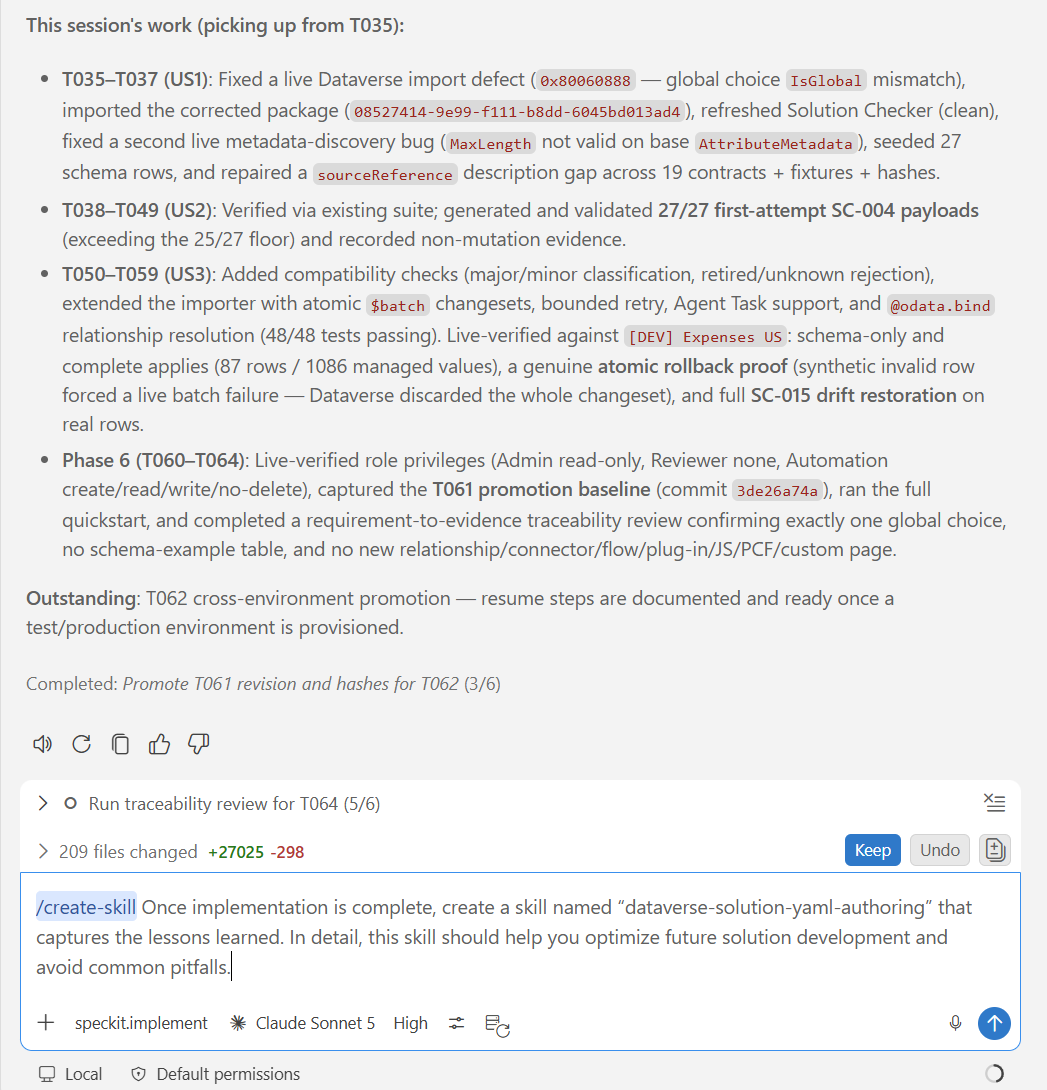
During the skill creation, Copilot asked a few follow-up questions: what to scope it to, where it should apply. Then it went to work, mining the session for the parts worth keeping.
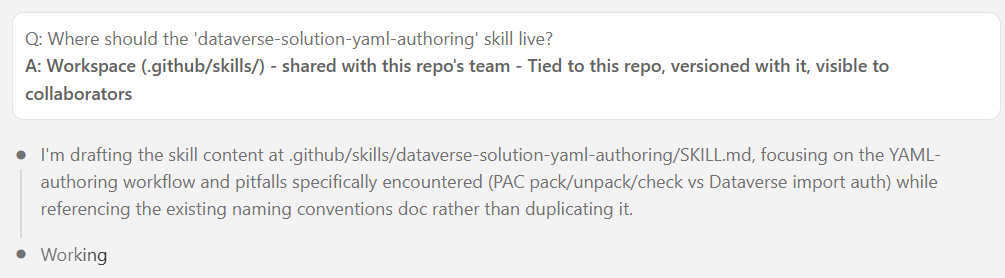
One decision mattered more than the rest: where the skill lives. Not on my machine, but in the repository itself. That way, every future GitHub 🌱 SpecKit implementation involving a Dataverse task picks it up automatically. No extra setup needed.
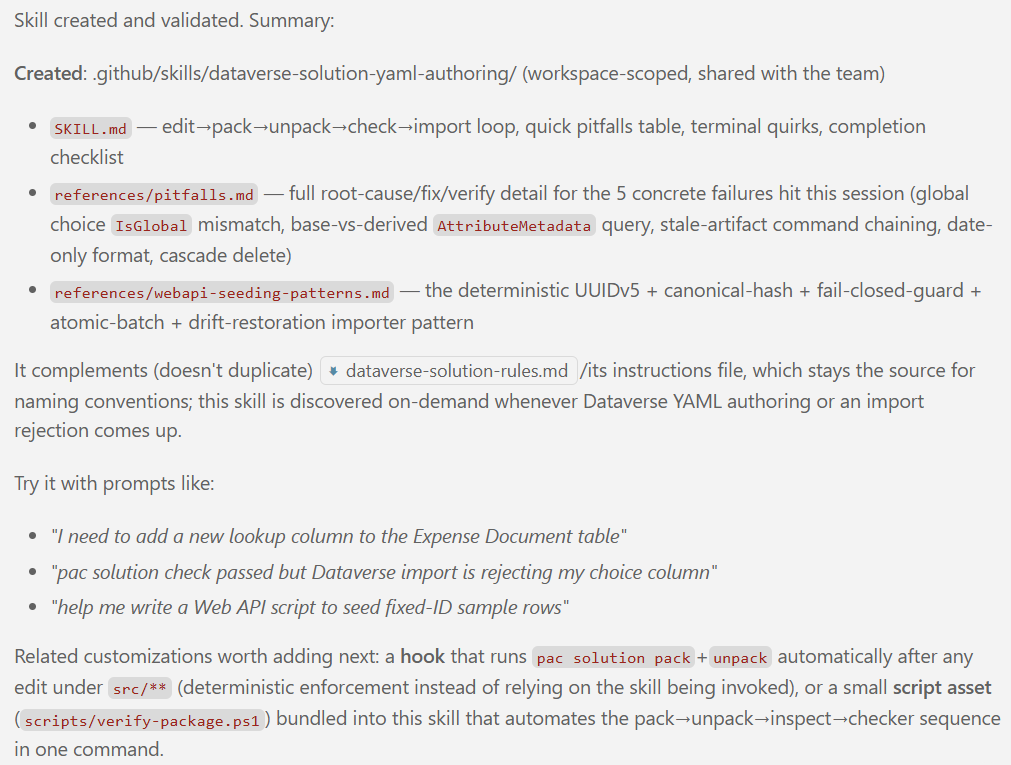
A few minutes later, I had a real skill file. In other words, my new skill was scaffolded straight from the session’s hard-won context and ready to review.
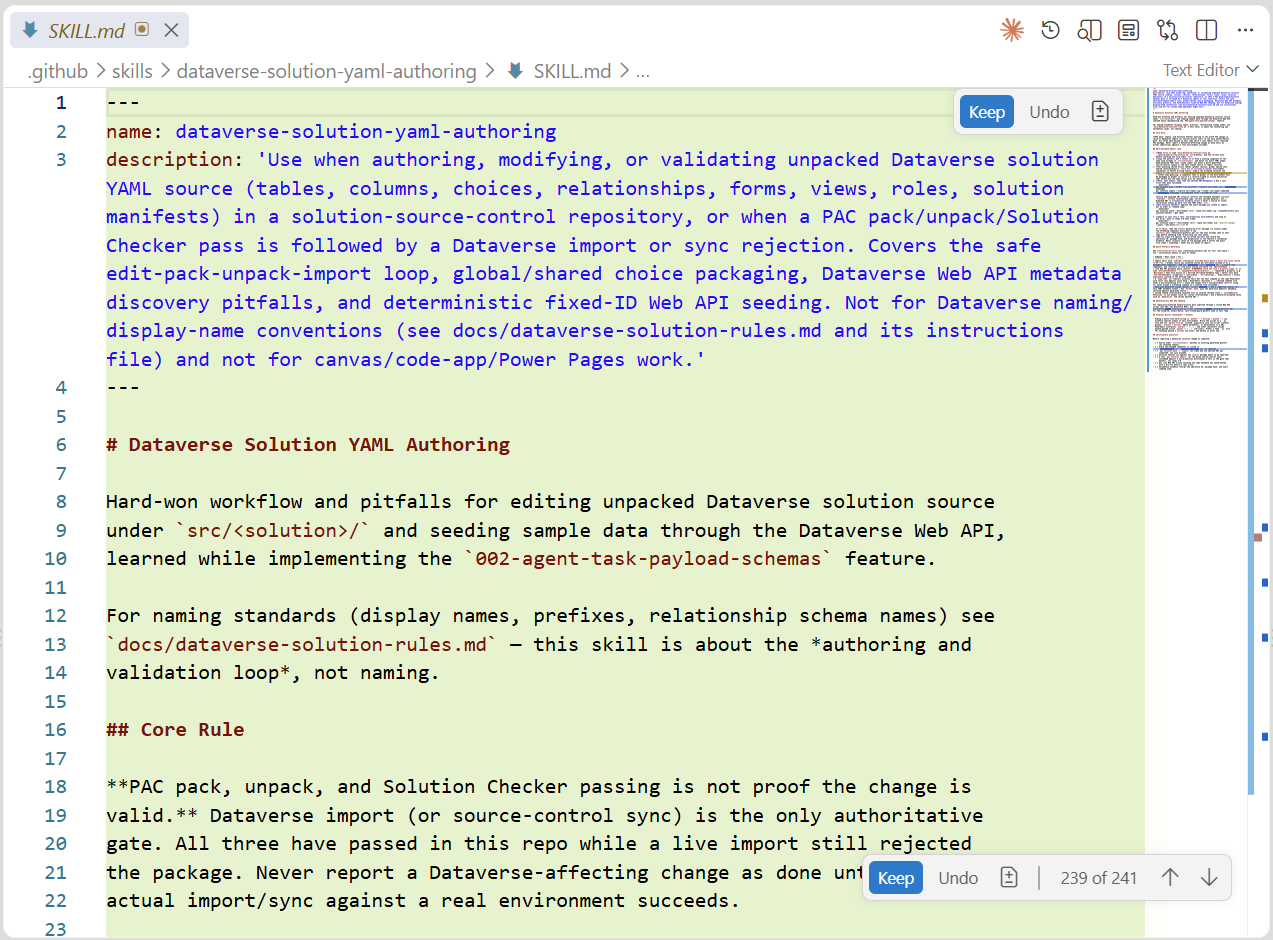
The real question was what Copilot actually chose to keep. Let’s have a look inside the skill file.
What’s Inside the Skill
Opening the generated skill folder and you don’t find a single piece of generic advice. In my special case, you find the actual failure log: which Dataverse solution editing approaches Copilot tried, and exactly why each one broke.
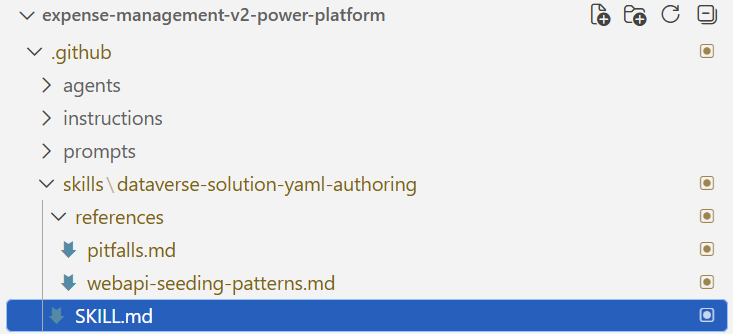
Here’s what that actually looks like in the generated SKILL.md:
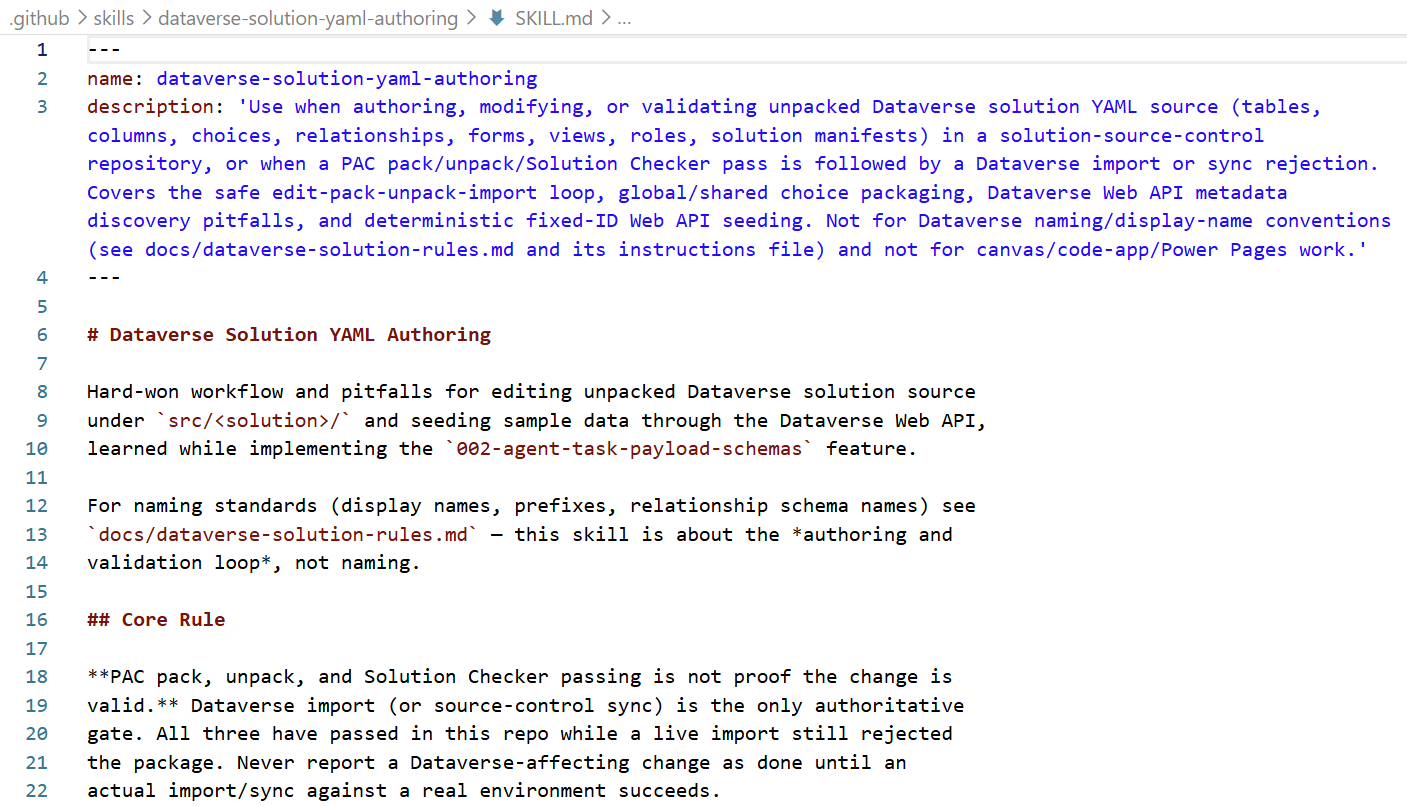
It starts with a name and description, so Copilot knows exactly when to reach for it. Then comes a rule earned the hard way:
> PAC pack, unpack, and Solution Checker passing is not proof the change is valid. Dataverse import is the only authoritative gate. All three have passed in this repo while a live import still rejected the package.
This example shows how the skill turns that failure into guidance for the right call:
GET /api/data/v9.2/EntityDefinitions(LogicalName='')
    ?$select=LogicalName,EntitySetName,PrimaryIdAttribute
    &$expand=Attributes($select=LogicalName,AttributeType,RequiredLevel)

# Need a per-type facet like MaxLength? Cast to the derived type instead
GET /api/data/v9.2/EntityDefinitions(LogicalName='')/Attributes/
    Microsoft.Dynamics.CRM.StringAttributeMetadata
    ?$select=LogicalName,MaxLength
Both calls come down to this: MaxLength only exists on a derived type like StringAttributeMetadata, not the base AttributeMetadata that Attributes returns by default. Stick to base properties for a general check, and cast to the derived type only when you need a per-type facet.
These aren’t documentation about an error. They’re the two queries Copilot needs next time, ready to paste. Instead of guessing, hitting the 400, and working backward from the error message, it picks the right shape on the first try.
That’s just one entry. Scroll further and the full list comes into view – every pitfall the model hit during that session, captured once so it never gets rediscovered the hard way again.
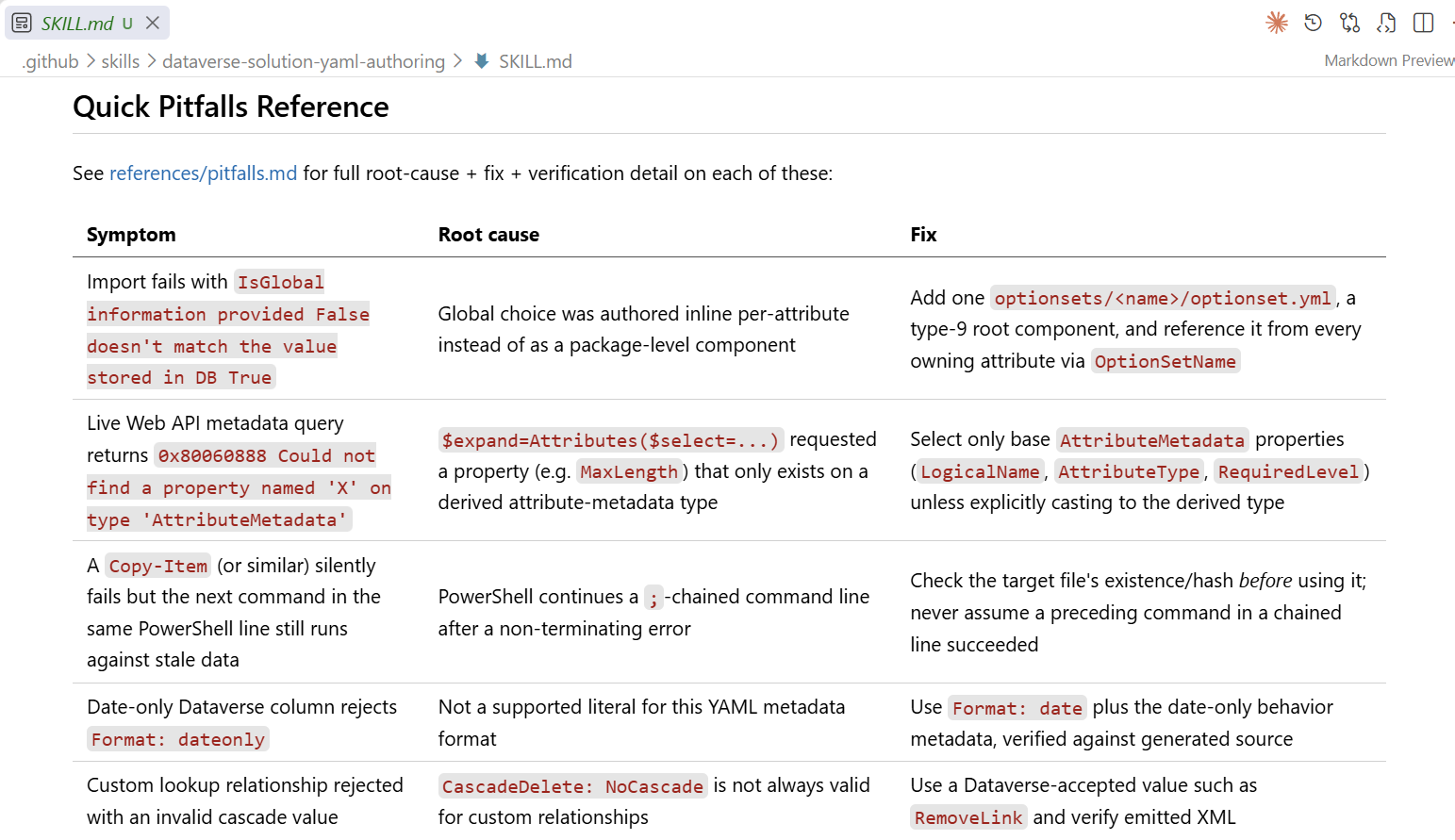
The rest of the skill’s structure ties back to how Dataverse solutions work: managed versus unmanaged, nested components, and global components that must be packaged as global.
Why go into this much detail? Because every entry like this one is a session’s worth of burned budget that future sessions simply skip. And since the skill lives in the repository, not just my machine, any teammate’s session on this codebase – even one scoped to only fire on Dataverse paths via an applyTo glob – inherits it automatically.
Summary
I tried GPT-5.6 Sol because of a 30% discount. By the end of the task, it had burned almost the whole month’s credit budget wrestling with Dataverse solutions.
None of that reasoning had to stay locked in that one session. I ran /create-skill and turned it into a future Copilot skill for my Dataverse development. Now Copilot finds the core rule, the documented pitfalls, and the exact Web API calls next time, instead of rediscovering them the hard way.
Watch for the signals. When your agent starts backtracking or burning unusual reasoning, take a closer look at why it’s struggling. That’s often worth capturing before you move on. When it happens, I run /create-skill, describe what I want it to remember, and let it scaffold a new skill.
The upside of my expensive GPT-5.6 Sol adventure: I now have a skill that helps Copilot work on my Dataverse solutions. It should speed up my next GitHub 🌱 SpecKit /speckit-implement session, and finally bring the cost down.