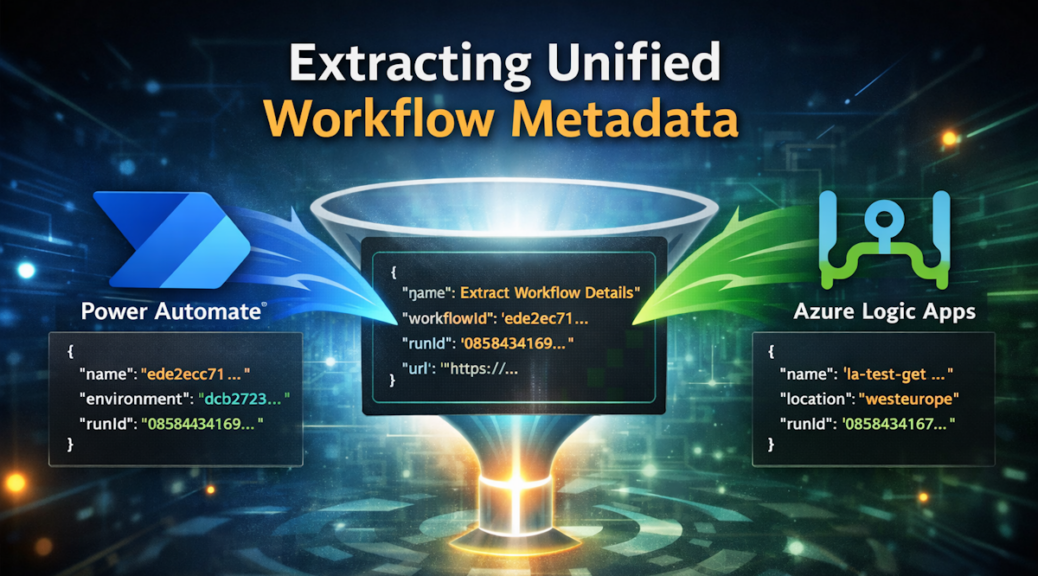
Extracting Unified Workflow Metadata
Recently I stumbled upon a question that kept nagging me: How can I get unified workflow metadata? This came up while I was working on my demo for the blog post Lightweight Workflow Monitoring. In that demo, I reused my Try-Catch-Finally pattern originally developed for Power Automate Flows. I applied this pattern to an Azure Logic App.
So far, so good. But then I hit an unexpected twist. In Power Automate, I rely heavily on the workflow() expression to access run metadata. I use this metadata to build a direct link to the workflow run – a link that looks like this:
https://make.powerautomate.com/manage/environments/{tags.environmentName}/flows/{name}/runs/{run.name}A simple URL, but incredibly valuable when you want to jump straight into the run details during monitoring or debugging.
This URL is constructed from the returned metadata. A typical workflow() output in Power Automate looks like this:
{
  "id": "/workflows/5dbdf98cb4aa415c92661711ec42ba7b",
  "name": "ede2ec71-22d2-46d6-813b-eb2c40a5ee1c",
  "type": "Microsoft.Logic/workflows",
  "tags": {
    "environmentName": "dcb2723e-101c-efe5-9c9e-03b804df4159",
    "flowDisplayName": "TM | 👉 Extract Workflow Details",
    "xrmWorkflowId": "81e90fd4-91e8-f011-8406-70a8a511b178",
    // ...
  },
  "run": {
    "id": "/workflows/5dbdf98cb4aa415c92661711ec42ba7b/runs/08584341691315051740663914172cU14",
    "name": "08584341691315051740663914172cU14",
    // ...
  }
}
From this structure, I can easily extract everything I need:
name→ workflow IDtags.flowDisplayName→ workflow nametags.environmentName→ environmentrun.name→ run ID
Everything fits together nicely.
But when I applied the same logic inside my Logic App, the output wasn’t the same. Fields were missing. Keys were renamed. The JSON structure looked familiar – but not familiar enough to reuse the same pattern.
Here’s the workflow() output from my Logic App:
{
    "id": "/subscriptions/c0b65ade-d267-46e8-8e50-280b29167973/resourceGroups/rg-ai-tools-eu/providers/Microsoft.Logic/workflows/la-test-get-workflow-details",
    "name": "la-test-get-workflow-details",
    "type": "Microsoft.Logic/workflows",
    "location": "westeurope",
    "run": {
        "id": "/subscriptions/c0b65ade-d267-46e8-8e50-280b29167973/resourceGroups/rg-ai-tools-eu/providers/Microsoft.Logic/workflows/la-test-get-workflow-details/runs/08584341676880196370132449401CU29",
        "name": "08584341676880196370132449401CU29",
        "type": "Microsoft.Logic/workflows/runs"
    }
}
Furthermore, the URL that points to this Logic App run looks completely different:
https://portal.azure.com/#view/Microsoft_Azure_EMA/DesignerEditorConsumption.ReactView/id/%2Fsubscriptions%2Fc0b65ade-d267-46e8-8e50-280b29167973%2FresourceGroups%2Frg-ai-tools-eu%2Fproviders%2FMicrosoft.Logic%2Fworkflows%2Fla-test-get-workflow-details/location/westeurope/isReadOnly~/true/isMonitoringView~/true/runId/%2Fsubscriptions%2Fc0b65ade-d267-46e8-8e50-280b29167973%2FresourceGroups%2Frg-ai-tools-eu%2Fproviders%2FMicrosoft.Logic%2Fworkflows%2Fla-test-get-workflow-details%2Fruns%2F08584341676880196370132449401CU29After comparing both structures side by side, it became obvious. I needed a unified way to extract workflow details across platforms.
That’s when I decided to build a Dataverse Function. It parses the workflow metadata and returns a normalized set of values – same structure, same fields, every time.
Extract and Unify with PowerFx
At this point, it was clear that I needed a single, reliable way to extract workflow metadata. This applied regardless of whether the workflow originated from a Power Automate Flow or an Azure Logic App.
So I created a Dataverse Function called Extract Workflow Details. It takes the raw workflow() output as a string and returns a normalized set of values:
name– the name of the workflowurl– the URL to the workflow runworkflowId– the ID of the workflowrunId– the ID of the workflow run
Just one function. One interface. One consistent response.
Here’s how the function looks inside Dataverse:
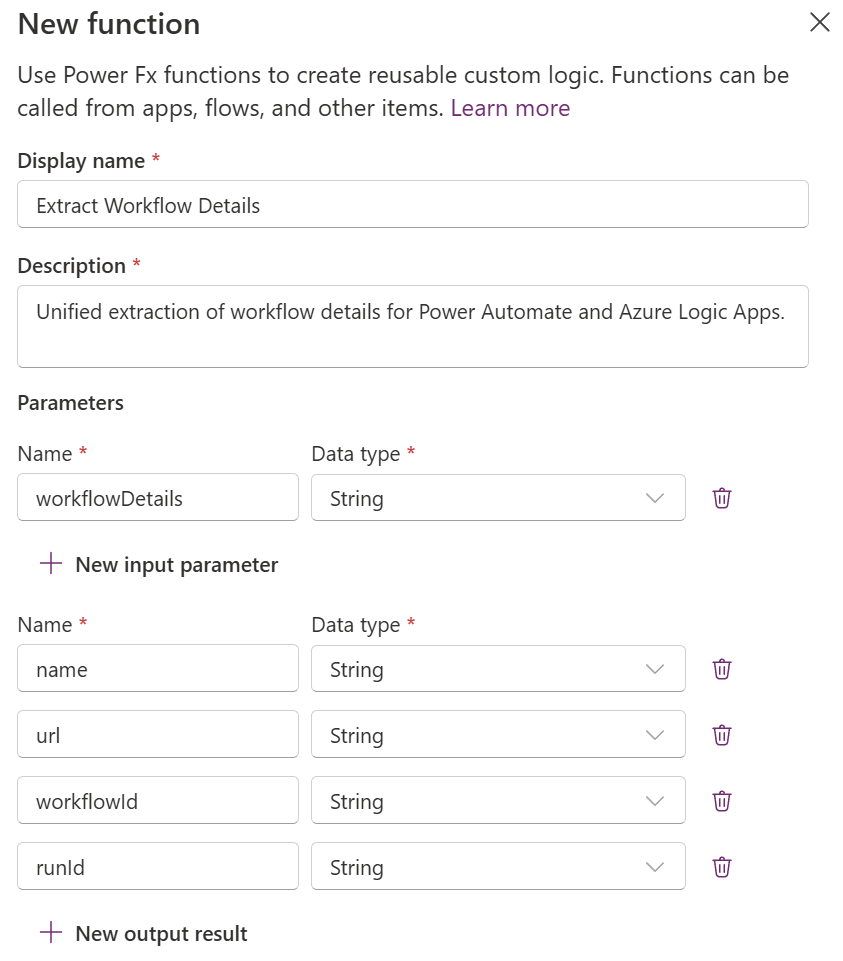
The function accepts a single parameter called workflowDetails (string), which contains the serialized JSON returned from the workflow() expression. Everything else happens inside the function logic.
How the Function Works
Inside the function, I parse the incoming JSON and evaluate both cases:
- Power Automate Flow metadata
- Logic App metadata
For each metadata source, I extract the matching fields. Then I compose the correct run URL – depending on which workflow engine the metadata belongs to.
Here is the full Power Fx implementation:
With({
    // Decoded Workflow Details
    wf: ParseJSON(Coalesce(workflowDetails, "{}"))
},
With({
    workflow_id: Coalesce(
        // Power Automate Flow
        Text(wf.tags.xrmWorkflowId),
        // Azure Logic App
        Text(wf.id)),
    workflow_name: Coalesce(
        // Power Automate Flow
        Text(wf.tags.flowDisplayName),
        // Azure Logic App
        Text(wf.name)),
    run_id: Coalesce(
        // Azure Logic App
        Text(wf.run.name),
        // Azure Logic App
        Text(wf.run.id)),
    // Power Automate Flow
    environment_id: Text(wf.tags.environmentName),

    // Power Automate or Logic App
    is_xrm: ! IsBlankOrError(Text(wf.tags.xrmWorkflowId))
},
With({
    // Power Automate Flow
    xrmFlowRunUrl: $"https://make.powerautomate.com/manage/environments/{environment_id}/flows/{workflow_id}/runs/{run_id}",
    // Azure Logic App
    azureLogicAppUrl: $"https://portal.azure.com/#view/Microsoft_Azure_EMA/DesignerEditorConsumption.ReactView/id/{EncodeUrl(wf.id)}/location/{wf.location}/isReadOnly~/true/isMonitoringView~/true/runId/{EncodeUrl(wf.run.id)}"
},

{
    url:        Coalesce(If(is_xrm, xrmFlowRunUrl, azureLogicAppUrl), Blank()),
    name:       workflow_name,
    workflowId: workflow_id,
    runId:      run_id
}

)))
So good so far!
Putting It to the Test
After building the Dataverse Function, it was time to validate whether it truly works across both workflow engines. So I created two simple test scenarios:
- one Power Automate Flow, and
- one Azure Logic App
Both are calling the same Dataverse Function through an Unbound Action.
The metadata structures are different. However, both engines should return the same unified output. This was the whole point of the solution.
Testing with Power Automate
In Power Automate, calling the function is straightforward. Here, I can pass the workflow metadata directly by using:
workflow()For that reason, my flow is this:
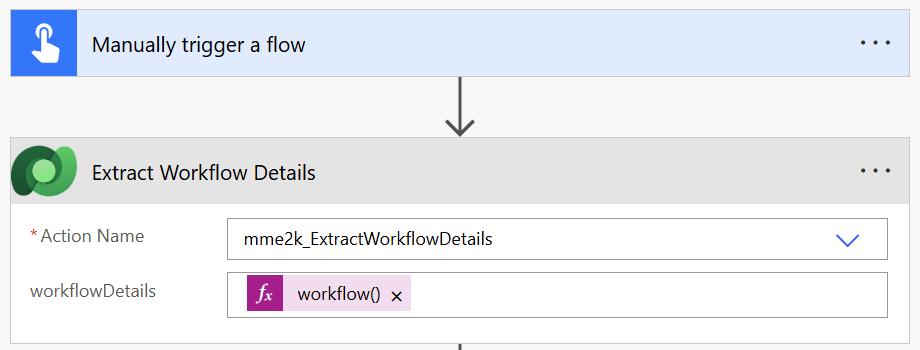
And here is the result returned from the Unbound Action:
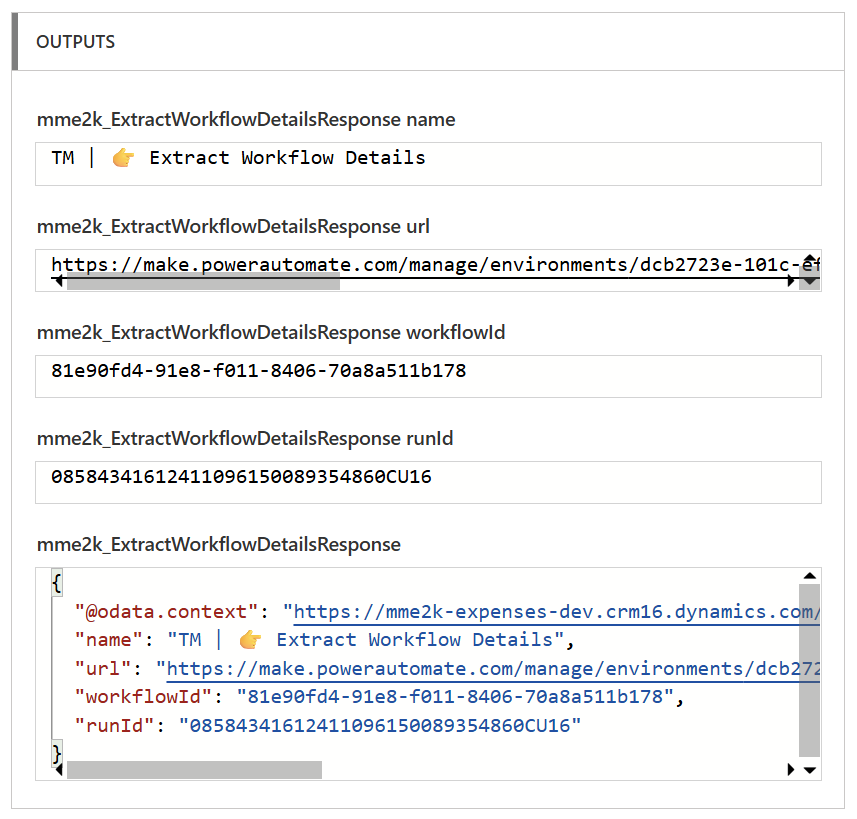
The function correctly extracted my unified workflow metadata:
- the workflow name
- the unified workflow ID
- the run ID
- and the generated deep link URL
Exactly as expected.
Testing with an Azure Logic App
Logic Apps needed a small adjustment.
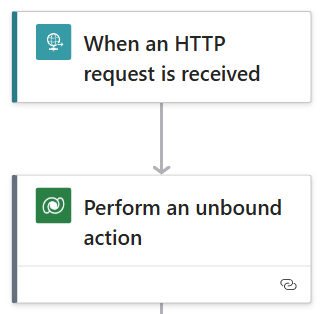
The Workflow() expression works the same way. However, the Logic Apps designer requires the expression to be converted into a string before sending it to Dataverse.
So instead of passing the expression directly, I used:
string(workflow())This ensures the JSON arrives as valid text that Power Fx can parse.
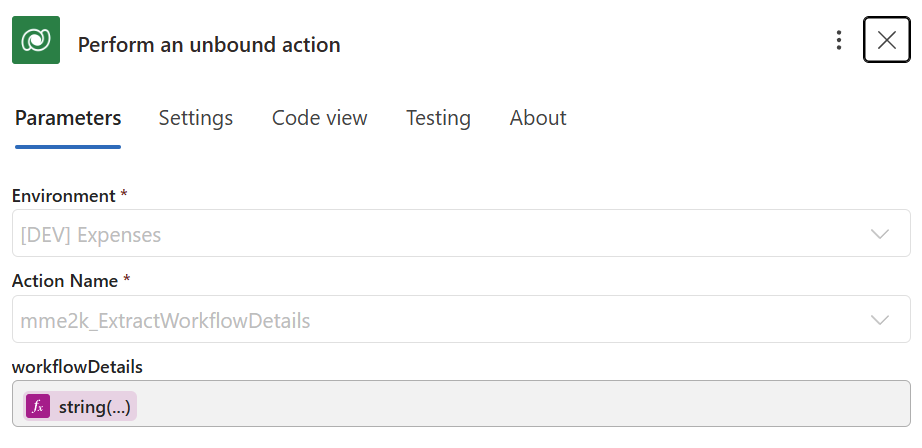
Once the Logic App called the Unbound Action, the response looked exactly like the Power Automate test:
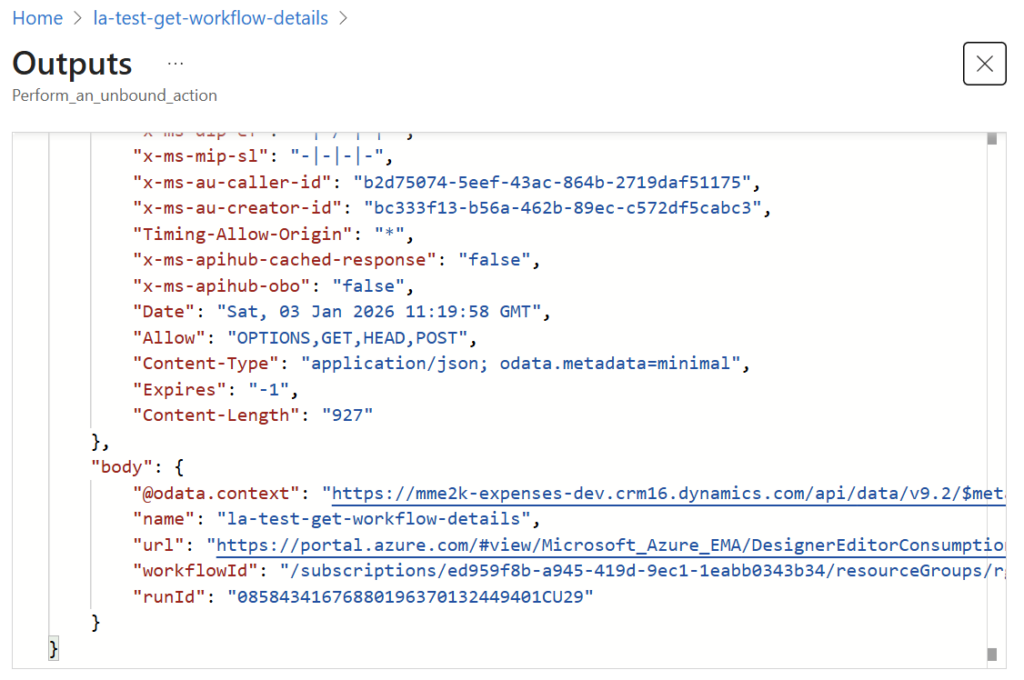
Different engines. Different JSON structures. One unified output.
That’s when I knew my function was solid.
Summary
This journey made one thing clear to me: unified workflow metadata defines how we monitor and debug our solutions. When I compared Power Automate and Logic Apps, the mismatch in their structures quickly became the real issue. I didn’t need another workaround – I needed consistency.
So I built the Extract Workflow Details function in Dataverse. With PowerFx, it parses the raw workflow metadata, detects the source, and returns the same clean structure every time. One place. One pattern. One predictable output.
Testing both engines confirmed it. My Flow and my Logic App called the same Unbound Action and returned identical results. Different metadata in. Unified metadata out. Simple and reliable.