M365 Con DACH 2026 Recording Is Live
Missed my session at M365 Con DACH 2026? Good news – the recording is live.
One note before you press play: it’s in German.
On paper, my session covers Power Platform and document processing with AI Foundry Content Understanding. That’s the abstract I submitted.
Reality had other plans. Shortly before the talk, my demo environment fell apart, and I had to rebuild it fast. So I turned to GitHub Copilot. It rebuilt the Dataverse tables, flows, and the Content Understanding analyzers in minutes, not days.
That’s the real story here – not the demo itself, but the GitHub Copilot development process behind it. Watch the recording, and you’ll see exactly how I used GitHub Copilot to move that fast.
GitHub Copilot Saved My Day and My Demo
GitHub Copilot doesn’t just autocomplete code. When my demo environment fell apart shortly before M365 Con DACH 2026, it became the reason I still had a working session – and AI Foundry Content Understanding was just the test case.
The Overall Process
Picture two systems talking to each other: Dataverse holding your business data, and Content Understanding reading unstructured documents. Together, they turn a stack of PDFs into structured records, ready for your business process. That’s what I had to rebuild in a hurry.
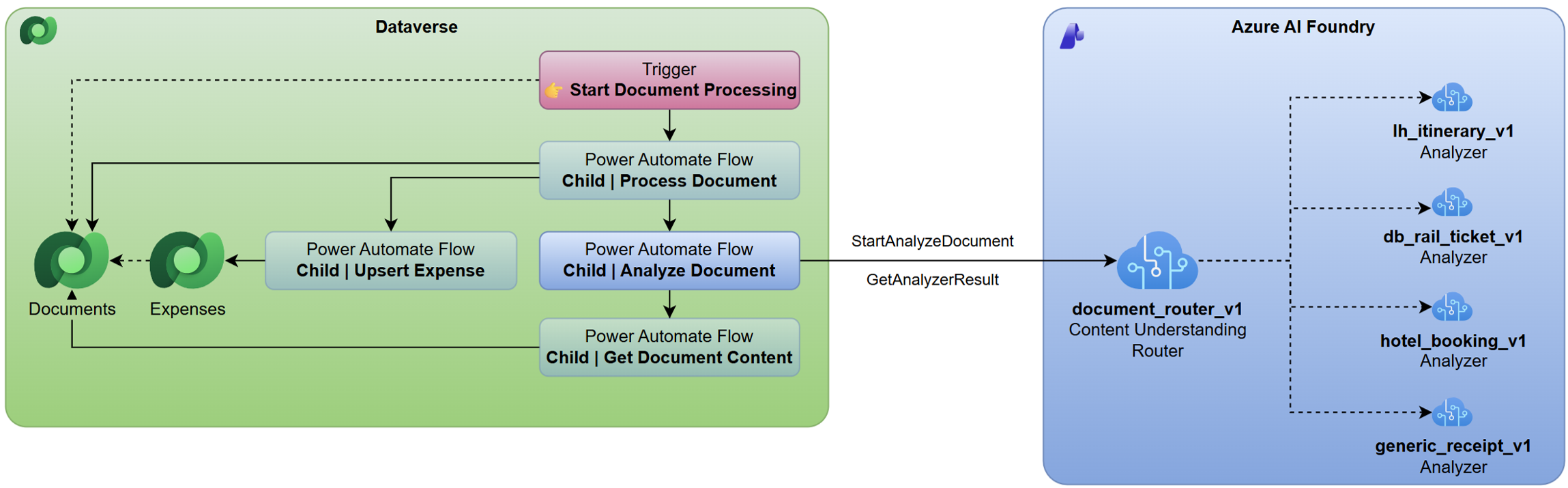
The Flow Copilot Generated
Here’s where Copilot earned its keep. Instead of rebuilding a Power Automate flow by hand under time pressure, I asked GitHub Copilot to draft one for me. It looked at my Dataverse schema, then generated a flow – connectors and all – in minutes instead of hours.
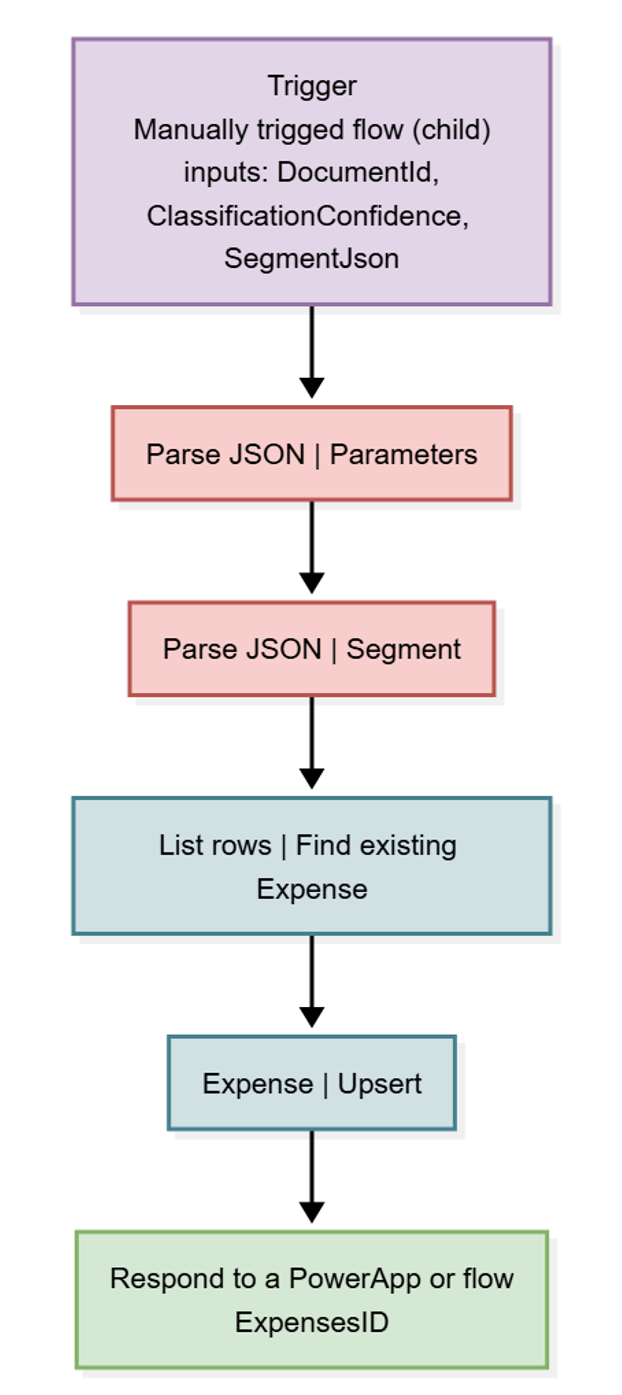
I didn’t accept it blindly. But reviewing a generated flow beats rebuilding one from scratch, especially with a deadline looming.
The Analyzers Copilot Drafted
Copilot didn’t stop at Power Automate. It also drafted the Content Understanding analyzers – the configuration that tells Foundry what fields to extract from each document type.
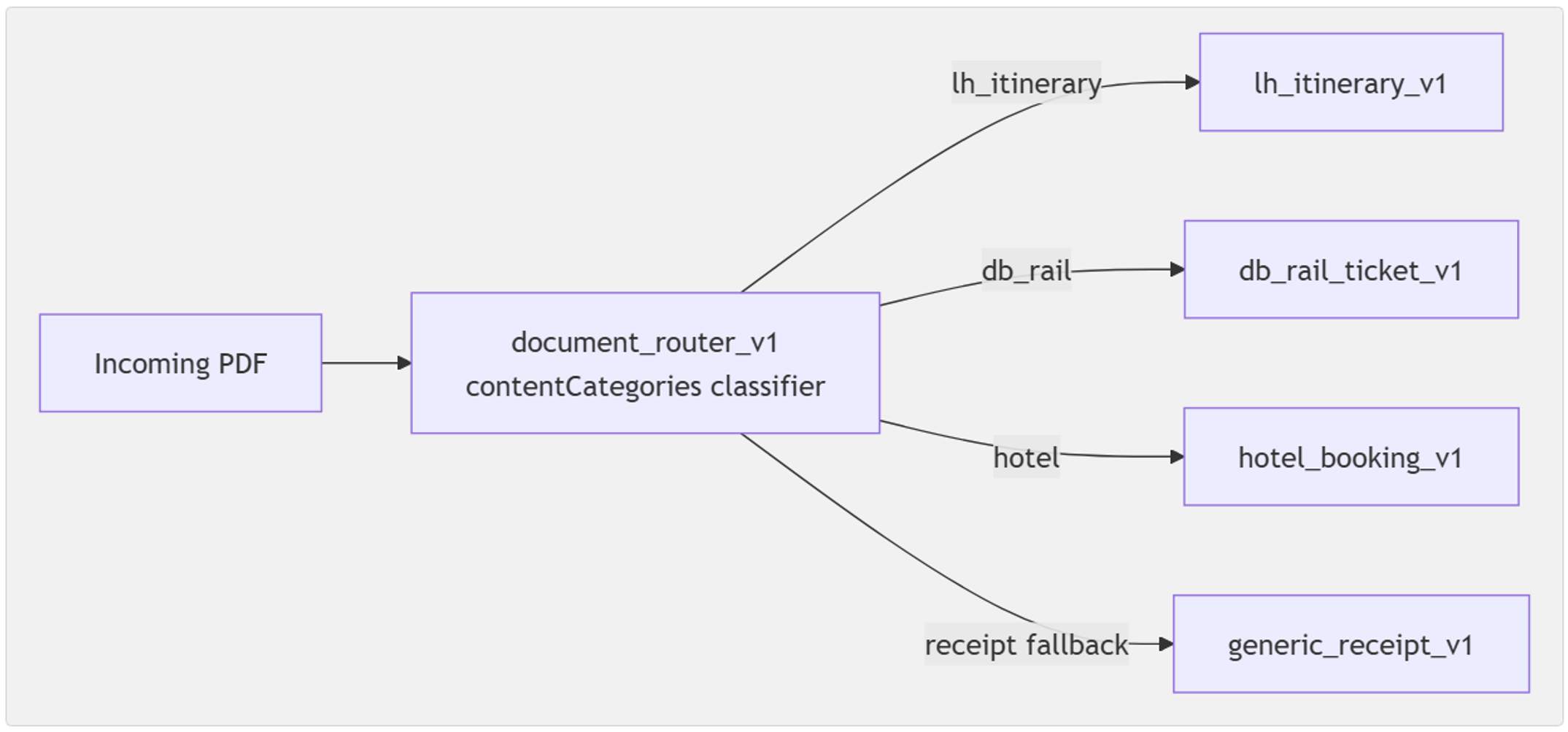
Same pattern, different tool. Copilot proposes, I approve or adjust, and the heavy lifting is done – fast enough that a broken demo environment turned into a non-issue.
The Model-Driven App, Built in a Flash
Extracted data still needs somewhere to land. Copilot scaffolded a model-driven app on top of Dataverse, so I had a working review screen instead of staring at raw tables.
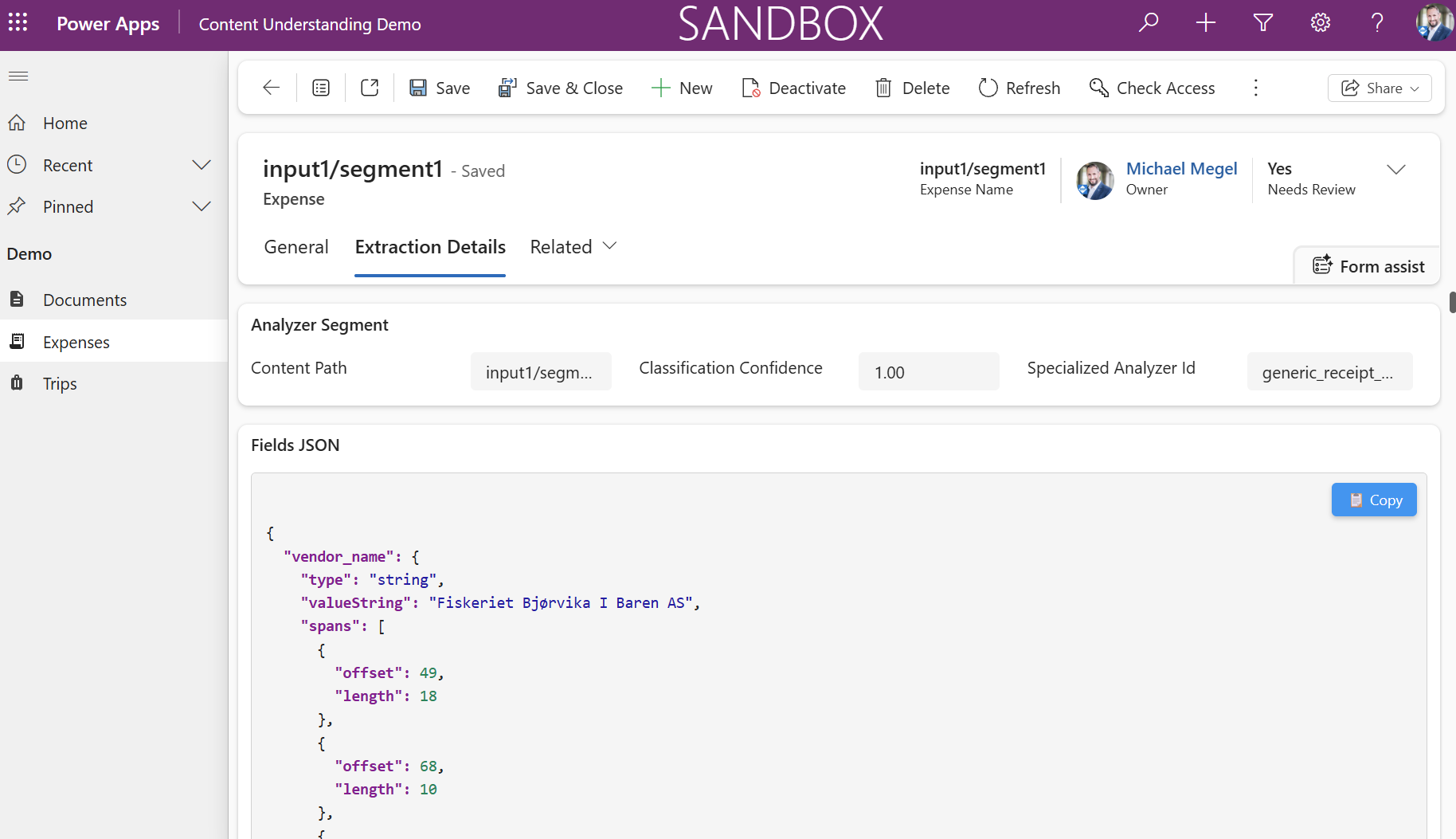
The Code App I Vibecoded
The last piece was the Power Apps code app you see running end to end in the demo. I mostly vibecoded it – describing what I wanted, letting Copilot draft the components, then tweaking from there.
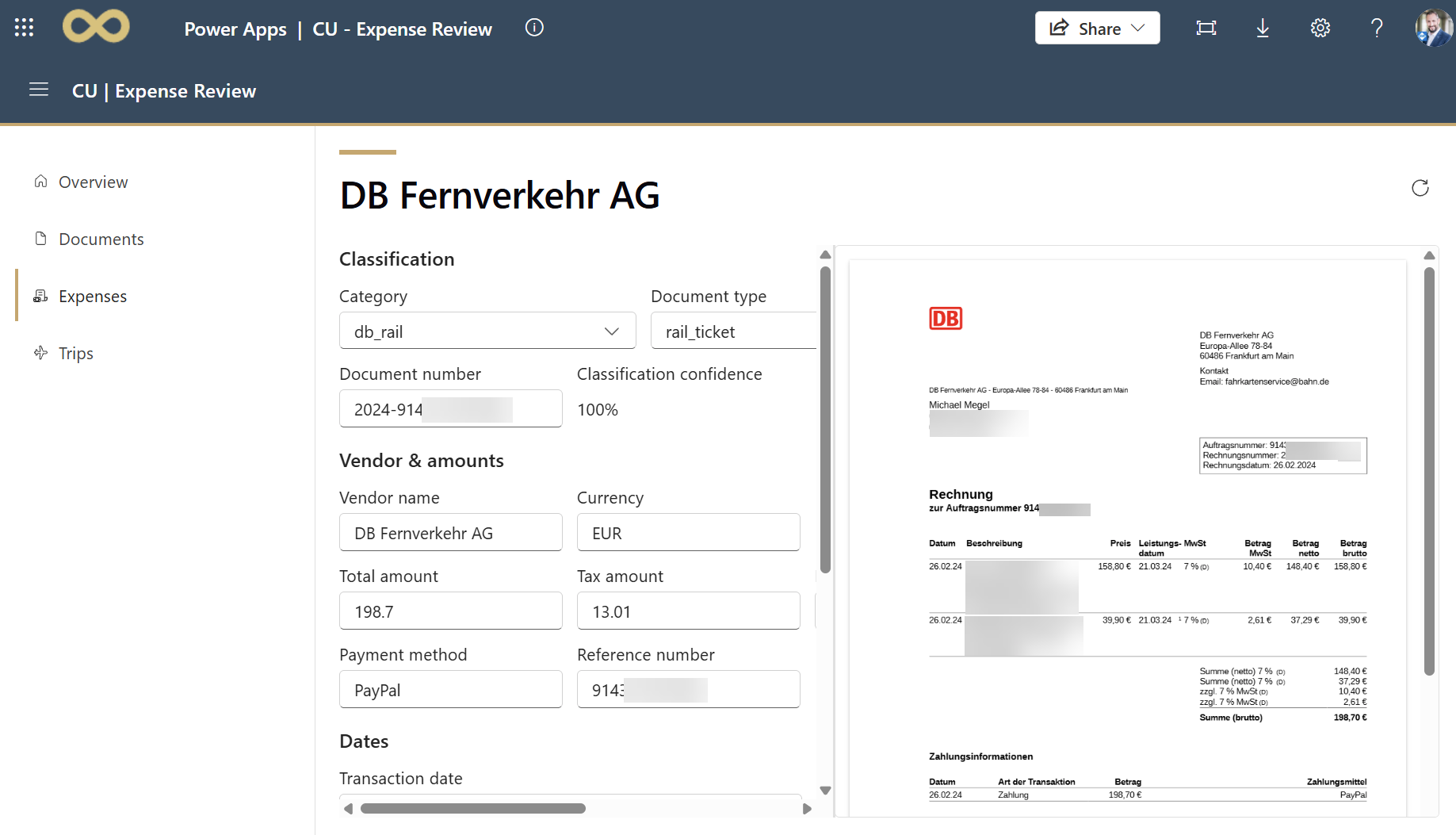
That’s the real headline from this Power Platform session: GitHub Copilot turned a rebuild-from-scratch panic into a review-and-approve exercise, across the flow, the analyzers, the model-driven app, and the code app. Watch the recording to see it happen live.
Summary
GitHub Copilot didn’t just save my talk. It changed how fast I build on Power Platform – full stop.
Days before the talk, my demo environment broke. Copilot rebuilt the Dataverse flow, the Content Understanding analyzers, a model-driven app, and a vibecoded code app. Fast enough that I still had a demo to show.
That’s what I want you to take away. Not the demo. The process behind it.
I know Dataverse, Power Automate, and Content Understanding well, and Copilot still saved me hours. If you don’t know this stack at all, that’s exactly where it helps most – it closes the gap between an unfamiliar technology and something you can actually ship.